
Start here
Break and Steal an Egg Beginner Guide
Break and Steal an Egg is a Roblox collection tycoon built around repeatable runs: break an egg, carry the animal away, return it to your base, collect income and reinvest in the slowest part of the route. This guide follows those actions in captured gameplay instead of guessing from the title alone.

What you need to know
Break the nearby starter egg, bank the hatch, finish the first cash objective, train speed on the treadmill and buy pickaxe power only when egg breaking is the slow part. Repeat a safe route before chasing distant eggs, then merge matching pets and use the Index to measure collection progress.
On this page
Your first 10 minutes, step by step
The opening tutorial shown in the captured run moves through these objectives in order.
- 01
Break the nearest starter egg
Equip the pickaxe, stand close enough to register hits and finish one easy egg before exploring farther zones.
- 02
Carry the hatch back
Turn toward your base as soon as the animal appears. The run does not help your economy until the hatch is safely placed.
- 03
Complete the first cash objective
Let the banked animal generate income and collect it until the opening Earn Cash target clears.
- 04
Train on the treadmill
Use the treadmill when the tutorial points to speed. Faster movement helps only if travel or the escape is actually slowing the full run.
- 05
Check the Pickaxe Shop
Buy a stronger pickaxe when egg health is the bottleneck. Keep some cash rather than emptying the balance for a marginal purchase.
- 06
Break the stronger egg
Return to the route, test the new tool on the next objective and compare the entire break-carry-bank time.
- 07
Repeat one reliable route
Bank several animals before taking on a longer route. Consistent deliveries build income faster than repeated failed rare runs.
- 08
Open the Index and plan the next goal
Use the Index for live collection progress and claimable rewards; use shops for current prices rather than copying old values.
The objective wording and order were read from a 20:01 gameplay capture. Live-game balance, prices and tutorial targets can change after updates.
Watch the opening route in short clips
Each button opens an in-site player at the relevant moment and stops at the end of that step. The full YouTube video is not loaded until you choose a clip.
Video source: BemmyBlox, “I STOLE a TITANIC EGG in ROBLOX BREAK AND STEAL EGGS...” The site uses YouTube's privacy-enhanced embed with official start and end parameters.
Read the controls before taking a risky route
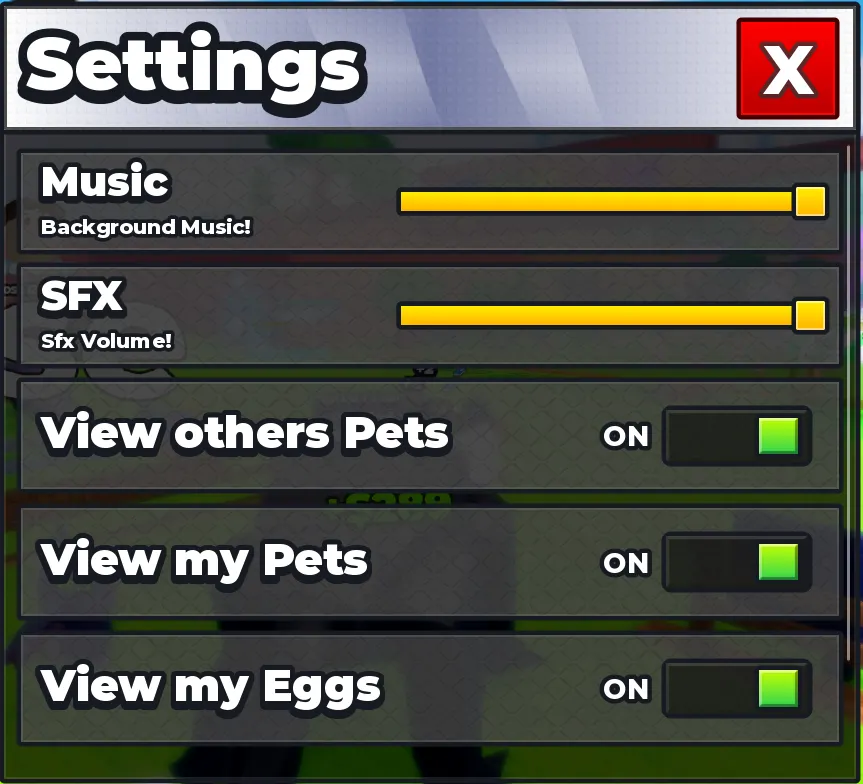
Auto Swing removes repeated clicking, but it does not choose a safe target or return path for you. Confirm your position before leaving it enabled.
The Safe Zone label is a useful pause point: collect income, inspect the Index and make purchases there before committing to another carry.
Swipe to see all columns| Control or signal | What it is for | Beginner use |
|---|---|---|
| Auto Swing | Repeats tool swings while enabled | Use it on an egg after confirming you are hitting the correct target |
| Slow Mode | Changes movement for finer positioning | Use it when precise movement is more useful than top speed |
| Safe Zone | Shows when you are in a protected area | Do shopping and Index checks after you are safely back |
| Shop | Opens progression purchases | Compare the live price with your current bottleneck |
| Index | Tracks area collections and rewards | Check missing entries and claimable milestones after a run |
Choose upgrades by the slowest part of the loop
There is no permanent speed-first or pickaxe-first answer. Measure one complete run and fix the largest delay.
Swipe to see all columns| What slows you down | Best first check | How to verify it helped |
|---|---|---|
| Egg health takes most of the run | Pickaxe Shop | Time the same egg before and after the purchase |
| Travel or the return route takes longest | Treadmill speed | Compare full round-trip time and safe deliveries |
| Cash arrives too slowly | Bank more productive animals | Watch income after several successful placements |
| Three matching pets are available | Merge Pets | Confirm the result and KG change in the live interface |
| Core progression already feels stable | Trails and later options | Buy only if they support your current route or goal |
Do not copy a price from the footage. Shop costs and balance are live values; read the current server before spending.
Merge pets and use the Index correctly
- 01
Collect duplicates naturally
Keep running a safe route until you have three matching pets instead of forcing a dangerous route for one merge.
- 02
Open Merge Pets
The captured interface says to merge three of the same pets. Check the three inputs before confirming.
- 03
Check KG and the result
The same screen links more KG with a bigger egg. Verify the result in your current build rather than assuming an old value.
- 04
Review the Index by area
Use the area tabs, unlocked total and reward markers to choose a real missing entry as your next target.
Use the dated workflow, merge-or-keep checks and hatch-time precautions before committing valuable duplicates.
The footage confirms the merge rule and Index layout, but it does not establish a permanent best pet or a complete drop table.
A safe first-session checklist
The most common beginner mistake is optimizing one screen number instead of the full run. A stronger pickaxe is wasted when the carry fails; more speed is wasted when egg health consumes nearly all the time.
A good session ends with more reliably banked animals, a shorter repeatable route and one clear next target in the Index.
- OKFinish the guided objectives before exploring the farthest visible zone.
- OKChoose a return path before the egg opens and widen the route if guards repeatedly catch you.
- OKBank the hatch before opening a menu or starting another objective.
- OKKeep a cash reserve and change only one upgrade category at a time.
- OKMerge only confirmed matching pets and review the result before repeating.
- OKUse the live Index and shop for current values; use this guide for the route and decision process.
Free-route checkpoints from the October 8 footage
Swipe to see all columns| Observed checkpoint | What it teaches | Guide decision |
|---|---|---|
| First animal placed for base income | The hatch matters only after delivery | Bank before opening another menu |
| Treadmill used before the first major gate | Movement is trained, not only purchased | Build base speed before chasing distant eggs |
| Stone, Iron and later tools purchased with cash | Pickaxe power removes the break bottleneck | Upgrade only when egg health dominates the run |
| Pen upgraded during progression | Capacity can stop an otherwise successful carry | Check a free slot before risky routes |
| Later boosts and top tools bought with Robux | Paid footage compresses the timeline | Do not compare it directly with a free route |
Evidence source: Foltyn, ROBLOX BREAK AND STEAL AN EGG.., reviewed October 8. The observed route is useful for system order; later Robux purchases in the video are intentionally excluded from normal free-player timing.
FAQ
Frequently asked questions
What should I do first in Break and Steal an Egg?+
Break the nearby starter egg, bank the hatch, complete the early cash objective, train speed when prompted and then check whether pickaxe power or travel time is your larger bottleneck.
Should beginners upgrade speed or pickaxe first?+
Upgrade the slower part of one complete run. Pickaxe helps when egg health takes most of the time; treadmill speed helps when travel and escapes take longer.
How do I merge pets?+
The captured Merge Pets interface instructs players to combine three of the same pet. Confirm all three inputs and check the resulting KG in your current game build.
What is the Index for?+
The Index tracks area collections, unlocked totals and claimable rewards. Use it to choose a specific missing entry instead of roaming without a target.
Do the video buttons open YouTube?+
They open a YouTube player inside this page at the relevant start time and stop at the defined end time. A separate link in the player opens the full source video.