
Collection progress
Break and Steal an Egg Index Rewards Guide
The Index is the game's collection checklist. Its area tabs and unlocked counters turn a vague hunt for a rare pet into a specific missing-entry goal.
What you need to know
Open the Index at base, select an area tab and compare the unlocked count with the visible entries. Claim any available milestone, then target one missing animal from a route you can complete safely. The Index is better for live collection status than a static fan list.
On this page
How to use the Index
- 01
Open the Index in a safe place
Review menus after banking the animal so the current run is not exposed.
- 02
Choose an area tab
Narrow the collection to Forest, Candy, Hell, Galaxy or another visible area.
- 03
Find one missing entry
Use the unlocked total and silhouettes or labels to choose a concrete target.
- 04
Check milestone rewards
Claim only what the current interface marks as available.
- 05
Return to a repeatable route
A missing entry is useful only if your pickaxe, speed and escape plan support the attempt.
Other captured area tabs
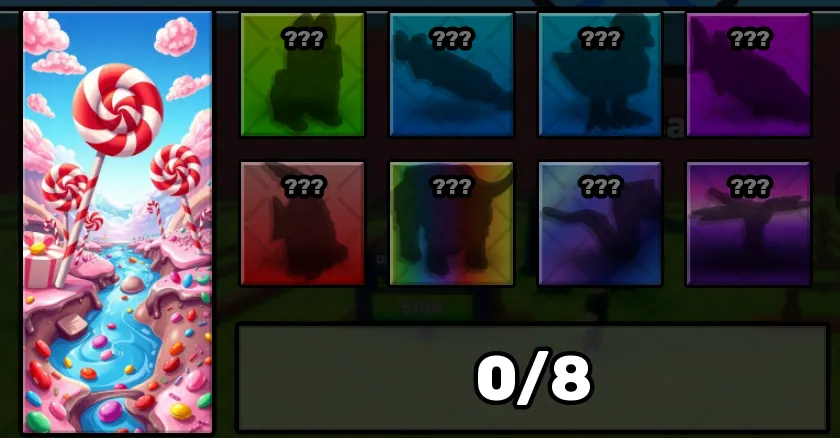
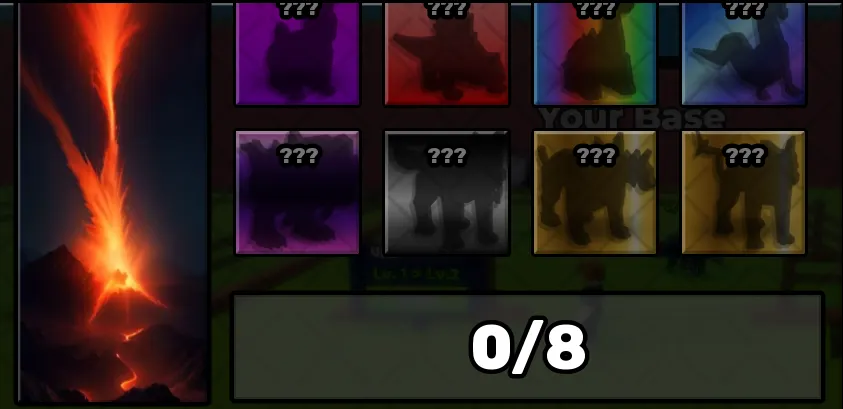
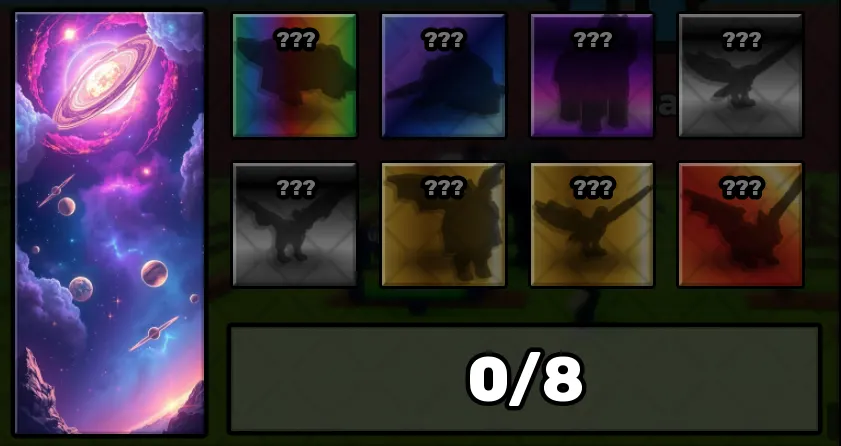
These screenshots were captured September 30, 2026. The 0/8 counters describe that player's collection state, not the current server's content or permanent drop odds.
Forest example: read the entry and reward panel
This full screenshot is more useful than a generic reward list: it shows the animal tiles, selected entry, collection counter and claim panel together.
Swipe to see all columns| Screen region | Visible in the September 30 capture | What it does not prove |
|---|---|---|
| Forest tiles | Chicken, Badger and Anteater named; five tiles still marked ??? | The hidden silhouettes are not verified identities |
| Selected Chicken | Common; $1/s shown in the Index detail panel | An owned pet's boosted income or today's rate |
| Collection counter | 3/8 | Every player's progress or a permanent area size |
| Claim panel | +60 shoe/speed icon, $100 cash icon and a Claim button | A guaranteed current reward or proof of the amount actually received |
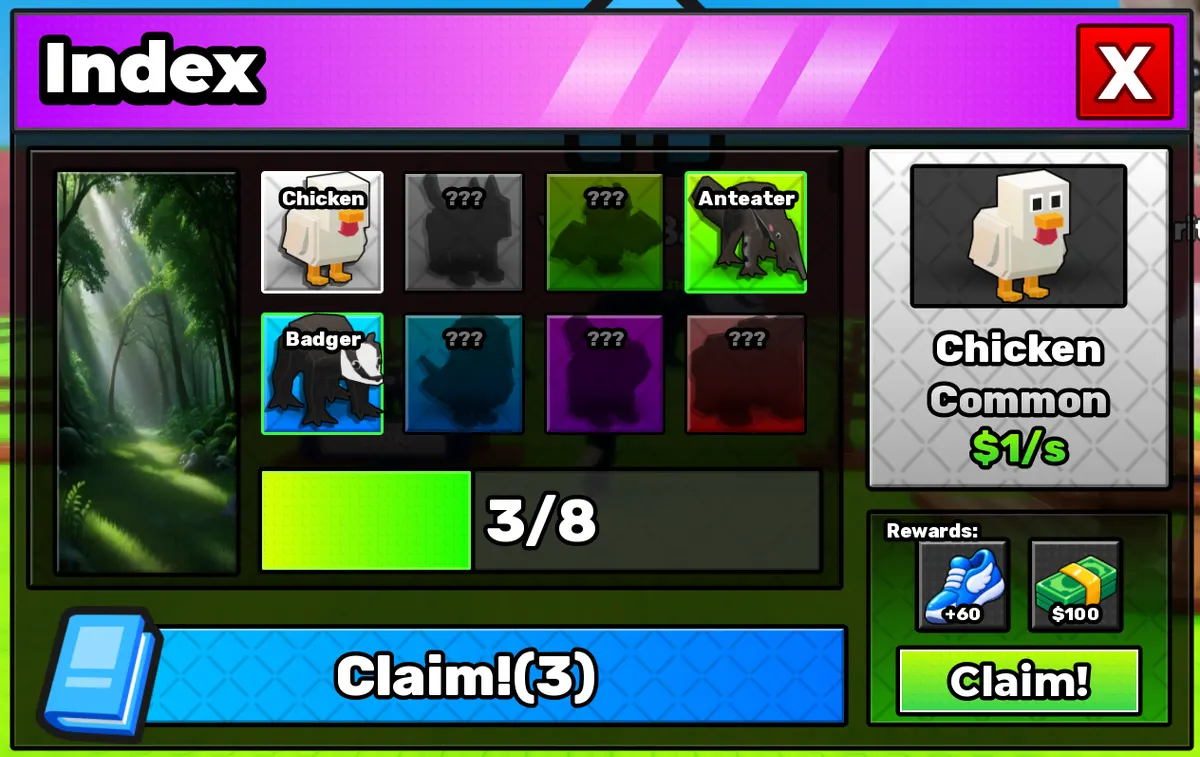
The screenshot records the visible offer, not a completed claim. The separate clip demonstrates a claim flow but does not establish permanent amounts. Check your own current panel before deciding whether to claim.
Index goals versus income goals
Swipe to see all columns| Goal | Use the Index for | Do not assume |
|---|---|---|
| Complete an area | Missing entries and unlocked total | Every rare target is efficient income |
| Claim a milestone | Visible claim state | An old screenshot shows today's reward |
| Improve the base | Confirm whether a hatch is new | New automatically means highest income |
| Plan the next zone | Area collection progress | Collection completion replaces speed requirements |
Halloween Index: two completed reward claims
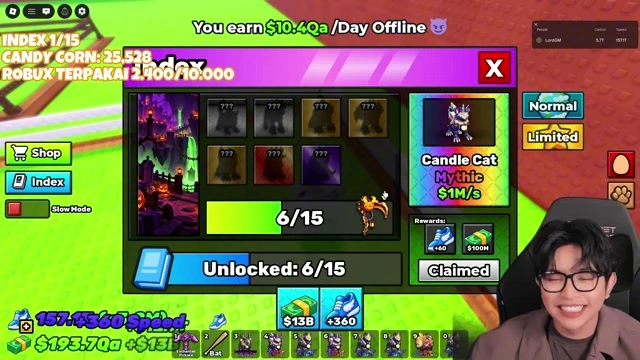
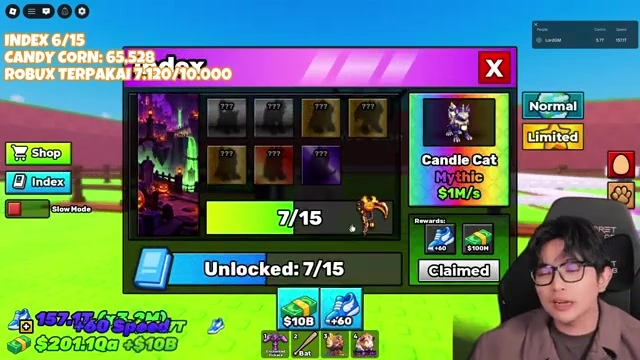
Player footage reviewed October 29, 2026 shows the claim button, completed state and reward feedback together. Read a selected pet's details separately from the total paid by a batch claim.
At 09:20, Candle Cat is selected: Mythic, $1M/s, with +60 beside the shoe icon and $100M in its reward panel. Claim!(6) then becomes Unlocked: 6/15 and Claimed; the actual feedback is +360 Speed and $13B. The batch cash total is not six copies of the selected entry's $100M.
At 16:24, another claim shows +60 Speed and $10B with progress at 7/15. Candle Cat remains selected, so do not assign that $10B to Candle Cat. Different entries and a batch total must not be treated as one fixed cash reward.
Swipe to see all columns| Video moment | Progress after claiming | Reward feedback |
|---|---|---|
| 09:20–09:25 | 6/15 | +360 Speed; $13B |
| 16:24 | 7/15 | +60 Speed; $10B |
Use the three recorded Chances menus to choose a missing collection entry.
Earn Candy Corn, choose an egg, plant and hatch it, then check the correct Index collection.
These are two observed claims, not a permanent reward formula. The player does not reach 15/15 or demonstrate receiving the scythe shown beside the progress bar. Recording and upload dates are unconfirmed; footage reviewed October 29, 2026.
Completed collection reward: claim and equip the Frost Bat
Collection equipment and individual pet rewards use different controls. The longer video shows the Snowy collection reward changing from green Claim to Equipped, followed by Unlocked the Frost Bat.
Chicken remains selected and already marked Claimed during the Frost Bat unlock. Do not attribute the collection tool to Chicken or combine it with the selected pet cash reward.
Near the end, the longer recording shows 110/113, not a finished 113/113 collection. Its advanced account and paid boosts make it unsuitable as a free beginner completion-time benchmark.
- 01
Finish one area collection
Use its missing entries to choose a target, bring the pet back and reopen the relevant collection. An account-wide counter is a separate measure.
- 02
Use the collection reward control
Inspect the green Claim on the completed collection row. The blue Claim!(1) and the selected pet card reward are separate controls.
- 03
Verify the equipment state
At 18:57–18:58, the Snowy reward changes to Equipped and the Frost Bat unlock notice appears. Confirm the tool in your own inventory.


Reviewed 2026-11-05 from user-supplied player footage. Recording and upload dates are unconfirmed. Read the current game panel; this is not developer patch documentation or our own gameplay.
Mutations Index: Gold collection and the Golden Rake requirement
The player video checked 2026-11-10 shows a separate mutation collection view. Use it to distinguish mutation progress from the Normal Index.
- 01
Open Index and choose Mutations
The menu shows Normal, Limited and Mutations. Visible mutation choices include Gold, Diamond, Lightning, Frozen, Angelic, Hacker and Time.
- 02
Read the selected collection
The Gold panel shows 2/120 and a prompt to discover 80% of the Gold Index for Golden Rake. These are that player’s recorded progress and the displayed threshold.
- 03
Keep the reward status separate
The prompt is not a completed Golden Rake unlock. This footage does not establish its stats, how mutations are obtained or whether they survive merging.


In the same video the Normal Index changes from 110/120 around 02:00 to 113/120 around 33:00. These are snapshots from this account, not a complete roster. The older 110/113 evidence above remains a separate recording. No fixed mutation multiplier or inheritance rule is established.
FAQ
Frequently asked questions
What is the Index in Break and Steal an Egg?+
It is the in-game collection tracker, organized by area with unlocked totals and visible reward milestones.
How do I know which animal I am missing?+
Select the relevant area tab and compare the visible entries with your unlocked count in the current game.
Does completing the Index give rewards?+
Captured screens show claimable collection milestones. Read the live reward panel because requirements and rewards can change.